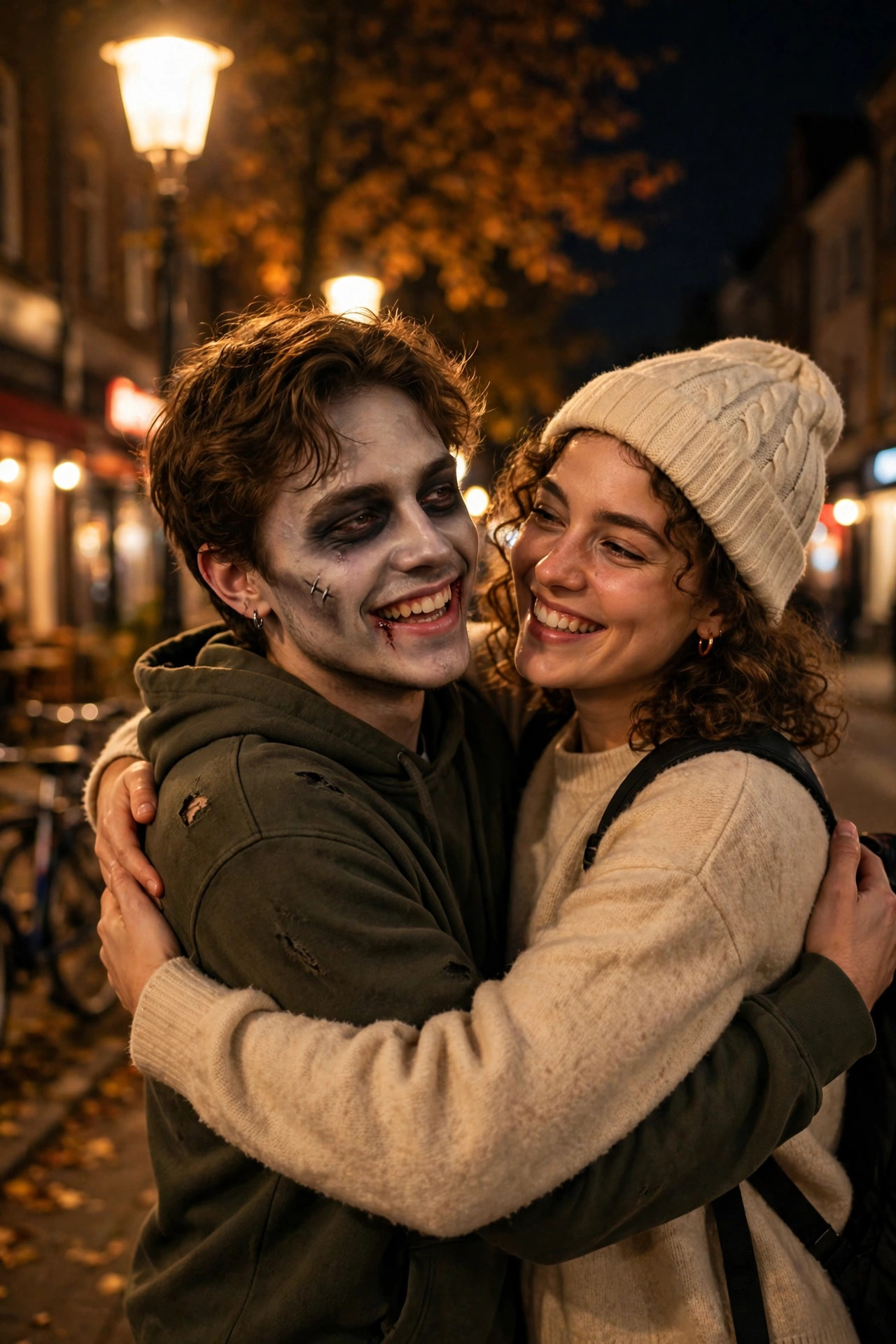
My girlfriend sent me the video at midnight with no context. Just a clip: a couple standing in a dark cabin, one of them turning into a zombie, and the other one hugging them anyway. Then a text underneath: “Would you still love me if I was a zombie?”
I watched it three times before I realised what I was looking at. It wasn’t a film scene. It was a ten-second AI video made from two photos, built inside a CapCut template. And by the next morning, my whole feed was full of them.
That’s the Zombie Love Story trend. It’s sweet, it’s a little creepy, and it’s one of the easiest AI videos to make right now — if you pick the right photos and stop fiddling with it after the second try. I made three versions before I got one worth posting. Here’s everything I learned, including the mistakes.
What the Zombie Love Story Video Actually Is
The idea is simple. A short vertical video, usually about ten to twelve seconds, that answers one question: would you still love me if I was a zombie?
It plays out in four beats. First, the two of you together, normal and happy. Then one person starts to turn — pale skin, dark eyes, that slow zombie look. Then the standoff: the healthy one facing the zombie, not sure what to do. And finally the hug. The zombie gets held anyway, and the video ends on something warm instead of scary.
That’s the whole trick. The zombie part gets the stop. The hug gets the save and the share. People tag their partner in the comments, which is exactly why it spreads — every post is basically a question aimed at one specific person.
The trend took off at the start of October 2026. A CapCut tutorial for a template called My Beloved Zombie passed 3.4 million plays on TikTok, and trend trackers estimate the format has picked up tens of millions of views across TikTok, Reels and Shorts since. I can’t promise you those numbers — nobody can promise views — but the template is real, it’s easy to find, and the format is still getting posted fresh in November.
What You Need Before You Start
You need two photos. That’s it, if you use the template route. One photo of the person who turns into the zombie first, and one photo of you — or your partner, or even your dog or cat in the first slot, which people are genuinely doing and it works.
Pick your photos like the video depends on them, because it does. Here’s what worked for me:
- Clear faces, facing the camera. The AI needs to see both faces properly. A side profile or a photo taken from far away will melt into something unrecognisable by the last frame.
- Similar lighting in both photos. If one photo is bright daylight and the other is a dark room, the video will look like two different scenes stitched together. Soft, even light works best.
- Plain-ish backgrounds. A busy background confuses the AI. A wall, a garden, a quiet street — fine. A crowded party — not fine.
- Both people looking roughly the same direction. The template lines the two faces up. If one person is looking left and the other is looking right, the hug at the end looks wrong.
My first attempt failed on almost all of these. I used a photo of my girlfriend from a birthday party — fairy lights everywhere, half her face in shadow — and a photo of me from a beach day with the sun behind me. The result looked like two strangers meeting in a haunted house. Funny for about five seconds, unusable as a post.
How to Make It With the Zombie Love Story CapCut Template
This is the fast route, and honestly the one most people should take.
Step 1: Open CapCut and search for the template.
Open CapCut, tap the Template tab, and search “My Beloved Zombie”. If that exact name doesn’t come up in your region, search “zombie love story” or “zombie hug” — several versions of the same template exist under slightly different names. Tap into one and check the preview before you commit. The good ones show the full four beats: happy couple, the turn, the standoff, the hug.
Step 2: Add your two photos in the right order.
The template will ask for two photos. The first slot is the person who turns into the zombie. The second slot is the person who does the hugging. Get this order wrong and the wrong person turns — I did this on my second attempt and spent ten minutes wondering why the video looked backwards. It’s a small thing, but it matters.
Step 3: Let the template do its work.
Tap through and let CapCut generate the clip. This usually takes under a minute. Don’t tap anything else while it’s rendering. I’ve had renders glitch when I switched apps mid-generation, and you end up with a half-finished face that looks worse than a bad filter.
Step 4: Watch it all the way through before you post.
Check three things. Does the face hold from the first frame to the last? Does the hug actually land, or do the two figures slide past each other? And does the zombie look like a zombie, or just someone with a bad skin filter? If the face breaks halfway through, your photos were the problem — swap one and regenerate. Don’t try to fix a broken AI face with more filters. It never works.
Step 5: Add sound and the AI label.
The template usually comes with its own sound or suggests one. A soft, slightly eerie track works — something slow with a heartbeat or wind sound underneath. Keep the volume low enough that it feels like atmosphere, not a jumpscare. And turn on the AI-generated label. This is an AI video of real people’s faces. Label it. Instagram and TikTok both have the toggle, and being honest about it costs you nothing.
Step 6: Export at the right settings.
Export at 1080×1920, 30fps. That’s the standard vertical size for Reels, TikTok and Shorts. Don’t export at 4K for a ten-second AI clip — the file gets heavy, the upload takes longer, and nobody watching on a phone will see the difference.
How to Make It By Hand (If the Template Isn’t Available)
Templates disappear sometimes. The Lion Friend template went unavailable for a while in late October, and the same thing can happen here. If you can’t find My Beloved Zombie, you can still build the video yourself — it just takes longer.
First, put your two photos into an image model and generate a still of the two of you together in a scene: a cabin, a dark street, a quiet room at night. Regenerate until both faces look right. This is the step people rush, and it’s the step that decides whether the video works.
Then give that still to an image-to-video model and describe the four beats in plain words: the couple stands together, one person’s skin pales and eyes darken, they face each other, then the healthy one steps forward and hugs the zombie. Keep the movement simple. The more complicated your prompt, the more the AI invents — extra arms, faces sliding off, that kind of thing.
Then check the face on the last frame. If it doesn’t look like your partner anymore, go back and regenerate the still. Don’t try to rescue it in the edit.
This route takes twenty to thirty minutes instead of two. The template route is better unless the template genuinely isn’t there.
The Four Beats, and How to Make Each One Land
The reason this format works is the structure. Each beat does a job, and if you skip one, the video feels flat.
Beat one: the happy couple. Two seconds, normal, warm. This is the “before” photo. It makes the rest of the video mean something. Use your best photo of the two of you together — the one where you both look like yourselves.
Beat two: the turn. The skin pales, the eyes go dark, the expression changes. This is the hook. It happens fast, and that’s the point — the viewer’s brain registers something is wrong before they can look away.
Beat three: the standoff. The healthy one faces the zombie. A pause. This is the question hanging in the air: what do you do now? Don’t rush this beat. The pause is what makes the hug land.
Beat four: the hug. The healthy one steps in and holds the zombie. Warm light, soft sound, end of video. This is the part people screenshot and send to their partner. If your template rushes this beat, pick a different template.
Mistakes That Ruin the Zombie Love Story Video
I made most of these. Learn from my wasted renders.
Using a group photo and cropping two faces out of it. The AI gets confused by cropped faces. Use two separate, clean photos.
Picking a photo where someone is wearing sunglasses or a hat. The AI guesses what’s underneath, and it guesses badly. Hats and sunglasses in the source photo mean a melted face in the video.
Making the zombie too scary. This is a love story, not a horror short. If the zombie looks genuinely terrifying, people scroll past instead of tagging their partner. The sweet spot is clearly a zombie, but still recognisably your person.
Forgetting the caption. The video asks a question. The caption should ask it too. Something like “Would you still love me if I was a zombie? @partner” does more for reach than any hashtag. And it gives people a reason to comment, which is the whole game.
Posting it without the AI label. I mentioned this already, but it matters. It’s your partner’s face turned into a zombie. Be upfront about how it was made.
Using someone else’s photo without asking. This one isn’t a technical mistake, it’s a people mistake. Don’t make a zombie video of someone who didn’t agree to it. Especially don’t post it. A joke that lands for you can feel very different to the person in it.
Caption and Hashtag Ideas
Keep the caption short. The video does the work.
- “Would you still love me if I was a zombie? 🧟❤️ @partner”
- “He said yes. Even like this.”
- “POV: the apocalypse starts but love wins”
- “Tag someone who’d still hug you 🧟”
For hashtags, a few is enough: #zombielovestory #capcuttemplate #aivideo #zombiehug #couplesreels. Don’t stuff twenty hashtags into the caption. It looks desperate and it doesn’t help.
When to Post It
Zombie content peaked around Halloween, obviously. But the love-story angle is what keeps it going into November — it’s a couples’ format first and a zombie format second. Post it in the evening, when people are scrolling with their partner next to them. That’s when the tags happen. A video like this posted at 8 or 9pm will do better than the same video posted at 8am, because the tag-and-reply loop needs people to be awake and together.
FAQ
What is the Zombie Love Story CapCut template?
It’s a one-photo-per-person CapCut template, often called My Beloved Zombie, that turns two photos into a short AI video: a couple together, one person turning into a zombie, and the other hugging them anyway.
How many photos do I need for the Zombie Love Story video?
Two. One photo of the person who turns into the zombie first, and one photo of the person who hugs them. Clear, front-facing photos with similar lighting work best.
Is the Zombie Love Story video free to make?
The CapCut template route is free inside CapCut, though exports may carry a watermark unless you pay for CapCut Pro. Some browser-based AI tools charge per video, so check before you generate.
Why does my zombie video look wrong?
Almost always the photos. Dark, blurry, side-profile or mismatched-lighting photos break the AI face. Swap in two clear, front-facing photos with similar light and regenerate.
Can I make a Zombie Love Story video of my pet?
Yes, people are doing it — your pet in the first slot as the one who turns, and you doing the hugging. It works best with a clear photo of your pet’s face.
Do I need to label the video as AI-generated?
Yes. It’s an AI video made from real people’s photos. Turn on the AI-generated label on Instagram or TikTok before you post.
Final Thoughts
I’ve made a lot of AI template videos this year, and most of them are fun for a day and forgotten by the next. This one stuck with me a little more, maybe because the question at the centre of it is real. Would you still love me if I was a zombie? It’s silly. It’s also the kind of thing couples actually ask each other at 1am.
That’s why it works. Not because the zombie effect is impressive — honestly, the effect is the easy part — but because the video gives people a reason to tag one person and ask them something. The template does the editing. You just need two good photos, the right order, and the nerve to post it and tag your person.
Try it once. If the face holds and the hug lands, post it. If it doesn’t, change the photos, not the template.
Related reads:
- Lion Friend CapCut Template: How to Make the One-Photo AI Hug Video Everyone Is Posting
- AI Crying Farewell CapCut Template: How to Make the Smile-Breaks Farewell Video Everyone Is Posting in November 2026
- CapCut Cinematic Template: How to Make Movie-Look Reels Everyone Is Saving in November 2026
- CapCut 3D Zoom Template: How to Make Still Photos Move With Depth in November 2026
- Message From A Reel: How to Make the Anonymous Text Callout Reel Everyone Is Posting in November 2026
- CapCut Slow Motion Template: How to Make Smooth Slow-Mo Reels Everyone Is Saving in November 2026
2 thoughts on “Zombie Love Story CapCut Template: How to Make the Zombie Hug Video Everyone Is Posting in November 2026”