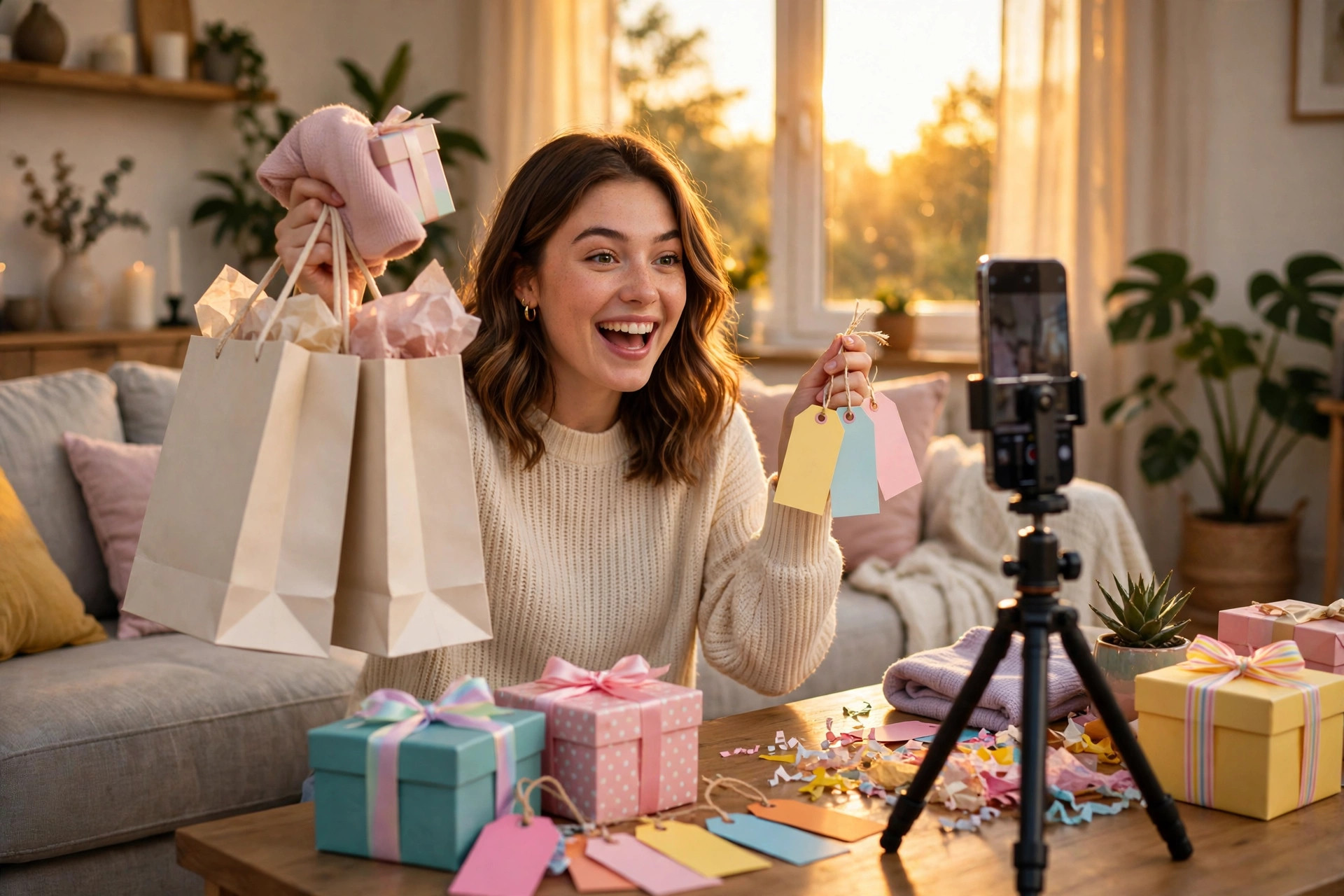
I first heard the “Go, go go” sound while I was supposed to be doing something else entirely. I was scrolling Reels at midnight, half asleep, and this chant came on — go, go, go — over a clip of someone flinging open a wardrobe full of sale clothes. I watched it twice. Then a third time. By the fourth video using the same sound, I stopped scrolling and saved it. That is usually how I know a trend is worth making: when I catch myself watching it instead of skipping it.
The Go go go trend is the number one trend on this week’s trending CapCut templates list, and it makes sense once you see what it is for. Black Friday is almost here, and this sound is built for hype. It is the sound you play when you want people to feel excited about something before they even know what it is. Shops are using it to show off sale picks. Small businesses are using it to tease limited offers. Regular creators are using it to show the things they are getting ready to launch. And honestly, you do not need a business at all. If you have something worth getting excited about, this sound does the job for you.
I made my first Go go go trend Reel in about twenty minutes, and the second one took half that time because I had already made every mistake once. This guide is the version I wish I had before the first try: what the trend actually is, how to find the sound, how to film it, and how to edit it in CapCut without overthinking it.
What the Go go go trend actually is
The Go go go trend is a short vertical video built around a chanting sound that repeats “go, go, go” with rising energy. The format is simple. You show something, then something else, then something else, each clip landing on the beat of the chant. The excitement builds with the sound, and the final clip is the payoff — the deal, the product, the launch, the reveal.
It is not a single CapCut template in the strict sense. There is no one template link that every version uses. It is a sound trend, which is actually good news for you. It means you build it yourself in CapCut in a few minutes, and nobody else’s version looks exactly like yours. Your clips, your products, your timing. The sound does the heavy lifting on the energy, and your footage does the rest.
What makes it different from the other sound trends I have covered this month is the timing. The “Me drafting an email” Reel works because everyone recognises the feeling. The “Walking Dead no” format works because one small thing ruins a perfect evening. The Go go go trend works because Black Friday is coming and everyone is already in buying mode. A hype sound lands differently in November than it would in August. Right now, people are actively looking for deals, gift ideas, and things to get excited about. That is the whole point of the trend.
One thing I want to be straight about: a trending sound does not guarantee views. Nobody can promise you that, and anyone who does is selling something. What the Go go go trend gives you is a format people already recognise, a sound the algorithm is already pushing, and a moment — Black Friday season — when people are paying attention. The rest is down to your clips and your idea.
What you need before you start
You do not need much, and that is part of the appeal. Here is the short list:
- A phone with CapCut installed (free version is fine, I used Android)
- The “Go, go go” sound saved from TikTok or Reels
- Three to five short clips or photos of whatever you are hyping up
- Decent light — near a window in the daytime beats a dim room every time
- About twenty minutes
That is it. No costume, no special location, no paid app. If you are a shop owner, your clips are your sale items. If you are a creator, your clips are whatever you are launching or showing off. If you are just making one for fun, your clips can be your favourite things, your weekend plans, or the gifts you have already bought. The format is flexible. The sound is what ties it together.
One small tip before you film anything: save the sound first. Open TikTok or Reels, search “go go go”, and save the audio from a version you like. There are a few versions of the chant floating around, and the one you pick sets the pace of your whole edit. Pick the version with the clearest chant and the strongest beat, because your clips will land on that beat.
How to make the Go go go trend Reel in CapCut
Step 1: Pick what you are hyping up
This is the step most people skip, and it is the step that decides whether the Reel works. Before you open CapCut, decide on one thing. Not five things. One thing.
If you are a shop, pick your best three sale items, not your whole catalogue. If you are teasing a launch, pick the one product or service. If you are a creator, pick the one announcement. The Go go go trend is a hype format, and hype needs a target. When I made my first one, I tried to squeeze in seven different things and the whole Reel felt like a mess. Nobody knew what I was excited about. My second version had three clips of one thing — a sale I was running — and it worked straight away.
Write your three to five clips down on paper or in your notes app. Something like: clip one, the shop front or your desk. Clip two, the first product. Clip three, the second product. Clip four, the price or the date. Clip five, the payoff — you smiling, the product in use, the “shop now” moment. Having that list before you film saves you from standing around wondering what to shoot next.
Step 2: Film your clips
Film vertically, 9:16, on your phone. Each clip only needs to be one to two seconds long in the final edit, but film three to four seconds of each one so you have room to trim. That little bit of extra footage is what saves you when a clip starts a fraction too late.
Keep the camera steady. You do not need a tripod, but lean your elbows on a table or hold the phone with both hands. Shaky footage is the fastest way to make a hype Reel feel cheap, and the fix costs nothing.
Film in good light. I filmed my first attempt in the evening under a yellow ceiling light and the whole thing looked tired. I re-filmed the same clips the next morning by a window and it looked like a different video. Same phone, same clips, different light. If you only remember one filming tip from this whole guide, remember that one.
For each clip, do one clear action. Hold the product up. Open the box. Point at the price tag. Walk toward the camera. One action per clip, nothing fancy. The sound is doing the exciting part. Your job is to give it clear, bright footage to sit on top of.
Step 3: Find the sound and set up your project in CapCut
Open CapCut and tap New Project. Add your clips in the order you planned them, then trim each one down to about one to one and a half seconds. You want the cuts to feel quick and punchy. If a clip hangs around for three seconds, the energy drops and the chant starts to feel like it is waiting for you.
Now add the sound. Tap Audio, then Sounds, and search for “go go go”. If you saved the sound from TikTok, you can also import it from your phone. Either way, line the audio up so the first “go” lands right as your first clip starts. This is the single most important timing decision in the whole edit. If the chant starts before your first clip, the Reel feels late. If it starts after, it feels rushed. Drag the audio track until the first beat sits exactly on the first frame.
Play it back from the start. Watch it twice. The first time you will be watching your clips. The second time, listen to the sound and watch where each “go” lands. Each chant should land on a new clip. If two chants land on the same clip, trim that clip shorter. If a clip changes in the silence between chants, trim it longer. You are aiming for a cut on every beat, and you will feel it click when it is right.
Step 4: Add text that tells people what to do
Text is what turns a fun video into a useful one. Without it, people enjoy the sound and scroll on. With it, they know what the hype is about.
Tap Text, then Add Text, and add one short line per clip or one line across the whole Reel. Keep it short enough to read in one second. Something like “Black Friday sale”, “50% off this weekend”, “Launching Friday”, or “Link in bio”. One line, big and clear.
I made the mistake on my first try of writing a whole sentence across the screen. It covered half the video and nobody could read it before the clip changed. Short text wins. If you need to say more, put it in the caption, not on the video.
For the final clip, add your call to action as text: the date, the discount, or where to find it. This is the payoff clip, so let the text sit there for the full length of the clip instead of flashing past. People need a second to read it and decide.
If you want captions as well, CapCut’s auto-captions work fine here — tap Captions, then Auto captions, and pick a style that is easy to read. Keep the font bold and the colour high contrast. White text with a dark outline reads on almost any background, and it is what I use for nearly every Reel now.
Step 5: Export and post it while the trend is hot
Before you export, watch the whole thing one more time from start to finish, with the sound on. Check three things: does the first “go” land on the first clip, does every clip change on a beat, and can you read all the text? If the answer to all three is yes, you are done.
Tap Export, choose 1080p, and make sure the aspect ratio is 9:16. That is the standard vertical size for Reels, TikTok and Shorts, and it keeps your video looking sharp.
When you post, write a caption that says what the hype is about in plain words. “Our Black Friday sale starts Friday — 50% off these three, link in bio.” That is enough. Then add a few relevant hashtags, not twenty. Something like #gogogo #blackfridaysale #capcuttemplate #reelstrend #shopsmall. A few is enough, and stuffing the caption with hashtags looks desperate and does not help.
Post it in the evening if you can, when people are scrolling after work, and post it before Black Friday week peaks. A hype trend has a window. The Go go go trend is number one this week, and Black Friday is almost here, so the window is right now. A version posted next week will still work, but it will not feel as fresh.
Mistakes I made (so you do not have to)
I made my first Go go go trend Reel in a rush, and it showed. Here are the mistakes, in the order I made them.
I tried to hype too many things at once. Seven products in fifteen seconds. Nobody remembered any of them. Three things, one message, every time.
I filmed in bad light. Evening, yellow bulb, tired-looking footage. Re-filming by a window the next morning fixed it completely. Light is free, and it is the biggest quality upgrade you can get.
I let the clips run too long. My first cut had clips lasting three seconds each, and the chant finished before the video did. The whole thing felt slow. Cutting each clip to about a second and a half fixed the energy instantly. If your Reel feels flat, your clips are probably too long.
I wrote too much text on screen. A full sentence across a one-second clip is unreadable. Short lines only. Put the details in the caption.
I posted without watching it back with sound on. I exported it, posted it, and only then noticed the audio started half a second late. That half second made the whole thing feel off. Now I watch every export once with the sound on before I post, no exceptions.
I forgot the call to action. My first version ended on a nice clip of a product and nothing else. No date, no discount, no link mention. People liked it and did nothing. The final clip needs to tell people what to do next, even if it is just “link in bio”.
Ideas for the Go go go trend Reel (whatever you do)
The format is flexible, and that is why it is spreading beyond shops. Here are a few versions that work, depending on who you are:
If you run a shop or small business: three sale picks, each on a beat, ending on the discount and the date. This is the version the trend was made for, and it is the one I see most.
If you are launching something: your workspace, your product, your announcement, ending on the launch date. The chant builds excitement, and the final clip gives people the date to remember.
If you are a creator: the things you are working on this month, your best clips from the year so far, or a roundup of your favourite finds. End on the thing you want people to check out.
If you are just making one for fun: your weekend plans, the gifts you have bought, your favourite snacks, your travel photos. The format works for anything you are genuinely excited about, and that is the real test. If you are not excited about it, the sound cannot fake it for you.
If you are a service business: the campaigns you are launching, the offers you are running, the results you are proud of. Agencies are already using it to show the work they are getting ready to launch, and it works because the format is about momentum.
Whatever version you make, keep it honest. Do not hype a sale that does not exist, a launch with no date, or a discount you are not actually offering. People can tell, and a trend cannot save a video that is trying to trick them.
How long should a Go go go trend Reel be?
Short. Ten to fifteen seconds is the sweet spot. The sound is quick, the chant repeats, and the whole point is a burst of energy. If your version runs past twenty seconds, you have probably added too many clips or let them run too long.
My first version was eighteen seconds and it dragged. My second was twelve seconds with four clips, and it felt right. The test is simple: watch it back and notice when you get bored. If you get bored, your viewers got bored two seconds earlier. Cut it there.
One more practical note. Save the sound to your favourites in TikTok or Reels when you find a version you like. Trending sounds move fast, and searching for the same one a week later is a special kind of frustration. I learned that the hard way with a sound I used in October that I could never find again.
Frequently asked questions about the Go go go trend
What is the Go go go trend?
The Go go go trend is a short vertical video built around a chanting sound that repeats “go, go, go” with rising energy. Creators cut three to five quick clips to the beat of the chant, building up to a final payoff clip — usually a sale, a launch, or a reveal. It is the number one trend on this week’s trending CapCut templates list, and it is popular right now because Black Friday is almost here.
Do I need a CapCut template for the Go go go trend?
No. There is no single official template for this one. It is a sound trend, so you build it yourself in CapCut by adding your clips, trimming them to the beat, and adding the sound. That takes about twenty minutes, and it means your version looks different from everyone else’s.
Where do I find the Go go go sound?
Search “go go go” on TikTok or Reels and save the audio from a version you like. There are a few versions of the chant, so pick the one with the clearest beat. You can also search for the sound inside CapCut under Audio, then Sounds.
How many clips should a Go go go trend Reel have?
Three to five clips works best. Each clip should last about one to one and a half seconds, so the cuts land on the chant. More than five clips and the Reel starts to feel rushed; fewer than three and the build-up does not have room to work.
Can I use the Go go go trend if I do not have a business?
Yes. The format works for anything you are excited about — weekend plans, gifts you have bought, your favourite things, or a personal announcement. The sound is about hype, not sales, so it works as long as you genuinely have something to show off.
When is the best time to post a Go go go trend Reel?
Right now, in the run-up to Black Friday. The trend is number one this week and the shopping season gives it a reason to exist. Post in the evening when people are scrolling, and do not leave it until after Black Friday week — hype sounds have a short window.
Final thoughts
The Go go go trend is the easiest trend I have made all month, and that is not a criticism. Sometimes the best formats are the simple ones: a sound with energy, a few bright clips, and one clear thing to be excited about. I spent twenty minutes on my first version and ten on my second, and the second was better in every way because I had stopped trying to do too much.
If you have a sale, a launch, or just something you are excited about, this is your week to make it. Find the sound, pick three clips, cut them to the beat, and post it while Black Friday is still coming rather than already over. The sound will do the hype. Your job is just to give it something worth hyping.
Related reads
- Me Drafting an Email Reel: How to Make the Overly Honest Email Draft Everyone Is Posting in November 2026
- Walking Dead No CapCut Template: How to Make the One-Thing-Ruins-Your-Evening Reel Everyone Is Posting in November 2026
- 2026 Recap CapCut Template: How to Make the Year-in-Review Reel Everyone Is Posting in November 2026
- Once a Day, Once a Week, Once a Month Reel: How to Make the Schedule Reel Everyone Is Saving in November 2026
- CapCut Slow Motion Template: How to Make Smooth Slow-Mo Reels Everyone Is Saving in November 2026
- Message From A Reel: How to Make the Anonymous Text Callout Reel Everyone Is Posting in November 2026