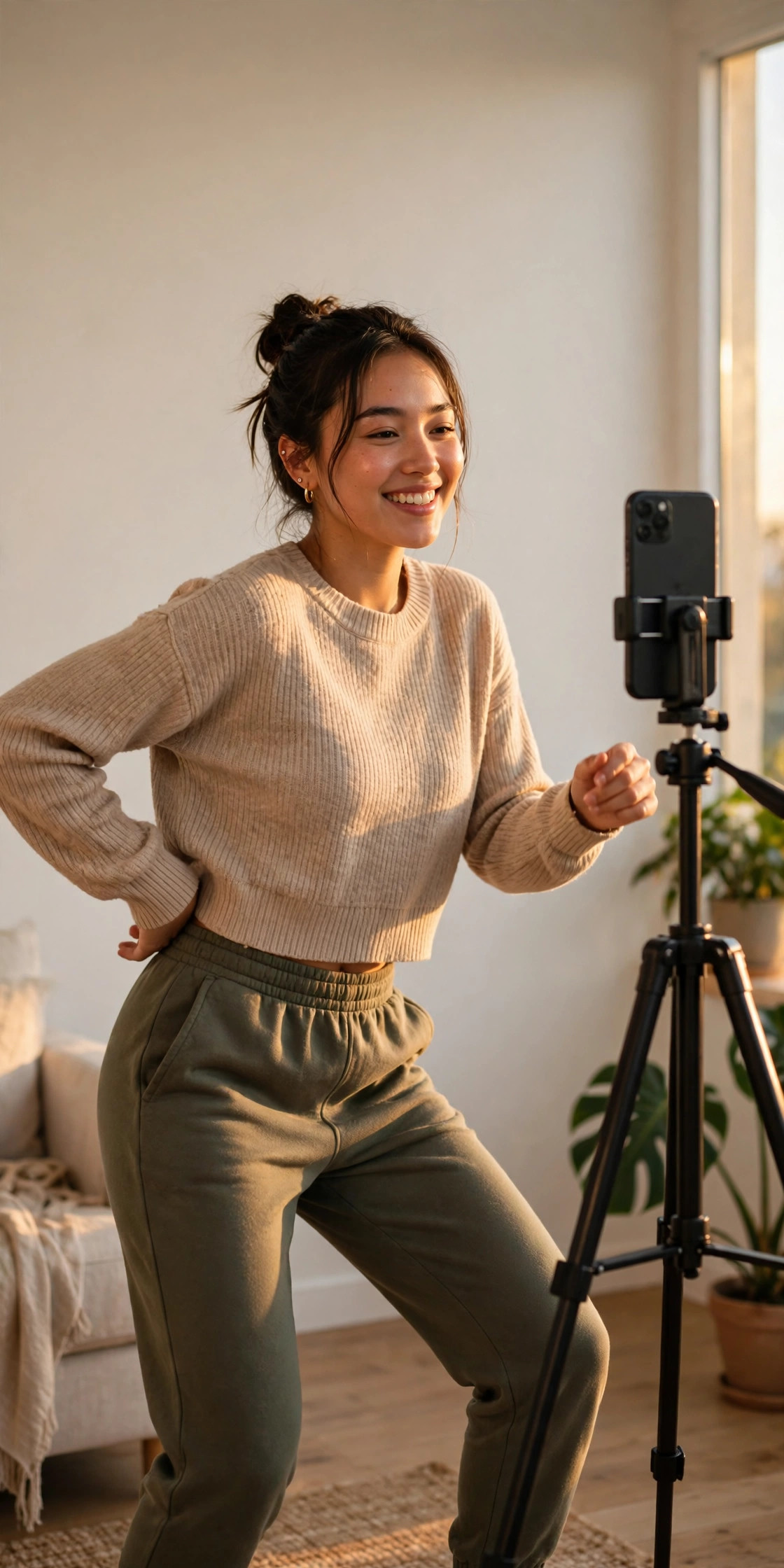
My cousin sent me a ten-second clip last week and I watched it four times before I worked out what had actually happened. A girl vibing in colour in her bedroom, the beat drops, and suddenly the same frame is a slow-motion black-and-white close-up that looks like a still from an old film. No cuts I could see, no fancy camera work. Just one photo and a template.
That was my first Ukwu CapCut template video. By the end of the evening I had seen six more, all different people, all the same shape: colour, beat drop, black and white. The template had already passed 666,000 uses by 5 November 2026, and the biggest takes were passing two million plays. It started on Nigerian TikTok, and by the time I found it, people in Guinea and Brazil were posting their own versions too.
I am not going to pretend I nailed it on the first try. My first Ukwu attempt looked like a PowerPoint transition, and my second one had the cut landing half a second late, which is enough to kill the whole effect. The third one worked. This guide is everything I learned across those three tries, written the way I wish someone had written it for me: the exact steps, the photo that works, the sound to use, and the mistakes to skip.
What Is the Ukwu CapCut Template?
The Ukwu CapCut template is a ten-second, one-photo template built around a single cut. You vibe in colour for about five seconds, the beat drops, and the clip turns into a slow-motion black-and-white close-up for the rest.
It was posted by editor MRSOFT EDITZ on 24 October 2026, with its own original sound. Within twelve days it had 666,000 uses on CapCut and the sound had been used in 118,000 videos. The biggest single take passed two million plays by early November.
Ukwu is Igbo for waist, which is why most posters caption their version with just the word “Ukwu” and a wink. The dance itself is a waist movement, a slow roll rather than a big jump or spin, and that matters for the photo you pick, because the template’s AI motion needs your body to read clearly in the frame.
The sound is “original sound – mrsoftedit” on TikTok, which TikTok matches to “No Be Today” by Babyface. If you are searching for the template inside CapCut, search “Ukwu” and look for the one by MRSOFT EDITZ. There are copycat templates with similar names now, and they do not have the same cut or the same slow-motion finish.
Why This Template Works When So Many Others Don’t
Most one-photo templates ask the AI to do too much. They want a walk, a spin, a hug, a full scene change, and the result usually looks like a wax figure sliding across the screen. The Ukwu CapCut template asks for one thing: a small waist movement, then a held close-up.
That restraint is the whole trick. The colour half is you, moving naturally, in your own room, in your own clothes. The black-and-white half is the same moment slowed down and stripped of colour, which makes it feel cinematic instead of gimmicky. It looks like a film still because the motion is small and the framing is tight.
It also fits the ten-second attention span perfectly. Five seconds of colour to hook the scroll, one hard cut on the beat, five seconds of slow black and white to make people watch it twice. The loop is clean, and clean loops get rewatched.
One honest warning, though: a template does not guarantee views. I have seen Ukwu takes with forty likes and Ukwu takes with two million plays. The difference was never the template. It was the photo, the timing of the cut, and whether the person in it looked like they were enjoying themselves.
Picking the Right Photo for Your Ukwu Video
This is the step most people rush, and it is the step that decides everything. The template puts your photo into a moving clip, so the photo has to give it something to work with.
Here is what worked for me and for the takes I liked best:
Use a clear, full-body or waist-up photo. The movement is in the waist, so the template needs to see your waist. A tight face-only selfie gives it nothing to move, and the result looks frozen. A waist-up shot in portrait orientation is the sweet spot.
Face the camera, shoulders square. Angled shots and side profiles confuse the motion. Stand straight, look at the lens, and let your arms hang naturally or rest one hand on your hip.
Pick a plain background. Bedrooms, hallways, staircases and plain walls all work. Busy backgrounds with lots of people or patterns pull the eye away from you and make the AI motion look messy. The best takes I saw were shot against one clean wall with a ring light.
Wear something with a clear outline. A fitted top and jeans read better than a loose oversized hoodie, because the template can find your shape. You do not need a special outfit. Just avoid clothes that blend into the wall behind you.
Use a recent, well-lit photo. Golden hour light through a window is ideal, but a bright room works fine. Avoid dark photos. The black-and-white half already removes the colour, so if your photo starts dark, the second half turns into a grey blur.
My mistake on the first try: I used a group photo from a wedding, cropped tight, with three people half in frame. The template picked the wrong person and the waist movement landed on my uncle. Crop to one person, and make it a photo where you are the only subject.
How to Make the Ukwu CapCut Template Video Step by Step
You need the CapCut app, one photo, and about five minutes. Here is the full process, exactly as I did it on my third, successful try.
Step 1: Open CapCut and Find the Ukwu Template
Open CapCut and tap Templates at the bottom of the screen. In the search bar, type Ukwu. Look for the template by MRSOFT EDITZ, posted 24 October 2026. It should show a very high use count, in the hundreds of thousands.
Tap it to open the preview. Watch the preview twice. The first time, just enjoy it. The second time, watch for the cut: the exact moment the colour drops out and the slow motion starts. That beat is the whole video.
If the search shows several templates called Ukwu, pick the one with the highest uses and the MRSOFT EDITZ name. The copycats usually have a different cut point and a weaker slow-motion finish.
Step 2: Add Your Photo
Tap Use template. CapCut will ask for one photo. Pick the photo you chose using the rules above.
Here is where people go wrong: they pick a photo from months ago that they barely remember. Pick something recent, where your pose and your outfit still feel like you. The template works best when the photo looks like the person posting it.
Once the photo is in, let CapCut generate the preview. Do not tap export yet. Watch it first.
Step 3: Check the Cut and the Slow Motion
Watch the preview all the way through and ask yourself three questions.
First, does the cut land on the beat drop? You should feel the colour-to-black-and-white change hit exactly when the music changes. If it feels early or late, the template preview may have rendered slightly off. Regenerate the preview once. In my experience the second render usually lands cleanly.
Second, does the black-and-white half actually look slow? The second half should feel dreamy and held, not rushed. If it feels fast, your photo may be too busy, and the motion is getting lost. Try a plainer photo.
Third, does your face stay natural through the movement? If your face warps or your eyes go strange in the slow half, the photo was probably too low resolution or too tightly cropped. Use the original photo, not a screenshot of it.
Step 4: Adjust the Sound
The template comes with its own sound, “original sound – mrsoftedit”. Keep it. That sound is part of why people recognise the trend, and it is the sound the 118,000 videos on TikTok are built around.
If you are posting to Instagram Reels instead of TikTok, check whether the sound is available there. If it is not, search Reels audio for “Ukwu” and use the closest match with the same beat drop. Do not swap in a random trending song. The cut is timed to this beat, and a different song will make the colour change land in the wrong place.
Keep the volume at full. This is a music-led trend, and a quiet version feels flat.
Step 5: Add Your Caption and Post
Keep the caption short. Most of the big takes just write “Ukwu” with a winking emoji, or a one-line joke about the waist movement. You do not need a paragraph explaining the trend. The video explains itself.
Add two or three hashtags at most, like #ukwu and #ukwuchallenge, plus #capcuttemplate if you want the template crowd to find it. More than that looks desperate and does not help.
Export in 1080p. The template is ten seconds, so the file is small and the export is fast. Post it as a Reel or a TikTok, not as a Story, because the loop and the rewatch value only work in the feed.
The Colour-to-Black-and-White Cut, Explained Simply
If you are wondering why the cut looks so good, it is not magic. It is contrast.
The first five seconds are bright, warm and moving. Your brain reads that as normal life. Then the colour disappears and the motion slows down at the exact same moment. Your brain reads that as a photograph, or a memory, or a film scene. The contrast between the two halves is what makes people stop scrolling.
That is also why the cut has to land on the beat. If the colour drops out half a second before the music changes, your brain notices the mismatch even if you cannot explain why. It just feels off. When it lands on the beat, it feels inevitable, like the music caused the change.
I learned this the hard way. My second attempt had the cut a fraction late, and every person I showed it to said the same thing: “It is good, but something feels weird.” They were right. The timing was the weird thing.
Common Mistakes That Ruin an Ukwu Video
I made most of these myself, so I am listing them to save you the same wasted evening.
Using a group photo. The template needs one person. Two people in the frame and it picks one at random, and the other one freezes awkwardly in the background.
Using a face-only selfie. No waist in the frame means no waist movement, which means the whole point of the trend is gone. Waist-up or full-body, always.
Picking a dark photo. The black-and-white half needs light to work with. A dark photo turns the second half into mud.
Changing the sound. The cut is timed to the original sound. Swap the song and the cut lands wrong, and the video loses its punch.
Over-editing after export. I added a filter on my first good take because I thought it needed more polish. It did not. The template already has the colour grade built in. Extra filters fight with it and make the black-and-white half look dirty. Export it as it is.
Posting a screen recording of the preview. Export the actual video from CapCut. A screen recording has the CapCut interface baked in, the quality drops, and it looks amateur next to everyone else’s clean export.
Ukwu vs Other One-Photo AI Templates
If you have already tried the Lion Friend template or the AI crying farewell template, Ukwu will feel familiar but easier. Lion Friend asks the AI to put a whole lion next to you and animate a hug. The crying farewell asks it to animate a face breaking into tears. Both are impressive when they work, and both fail more often because they ask for more.
Ukwu asks for a small waist roll and a held close-up. That is a much smaller job, so it succeeds far more often, even on a mid-range phone. If you have been burned by a one-photo template that turned your face into melted wax, Ukwu is a good place to try again.
The other difference is the sound. Lion Friend and the farewell template work with almost any emotional song. Ukwu only works with its own beat, because the cut is the video. That is a limitation, but it is also why the trend is so recognisable. You hear the beat drop and you already know what is coming.
Can You Make an Ukwu Video Without CapCut?
Yes, but honestly, why would you? The whole point is that the template does the hard part. Doing it manually means filming yourself in colour, then filming the same move again in slow motion, converting the second half to black and white, and cutting the two together on the beat. That is a real edit, and it takes an hour instead of five minutes.
If you do not have CapCut, any editor with speed ramping and a black-and-white filter can do it: CapCut’s own manual tools, VN, or even Instagram’s built-in editor for a rough version. Film the waist movement in colour for five seconds, slow the second half to about 0.5x speed, desaturate it fully, and cut on the beat drop. It will not look identical to the template, but it will be close.
My advice is simpler: just use the template. The template is free, the result is better than a manual edit for most people, and the trend is literally named after the template. Use the tool that made the trend.
Ukwu CapCut Template: Frequently Asked Questions
What is the Ukwu CapCut template?
The Ukwu CapCut template is a ten-second, one-photo template where you vibe in colour for about five seconds, then the beat drops and the clip cuts to a slow-motion black-and-white close-up. It was posted by MRSOFT EDITZ on 24 October 2026 and passed 666,000 uses by 5 November 2026.
What does Ukwu mean?
Ukwu is Igbo for waist. The trend is built around a slow waist movement, which is why most posters caption their video with just the word “Ukwu”.
What sound does the Ukwu trend use?
The original sound is “original sound – mrsoftedit” on TikTok, which TikTok matches to “No Be Today” by Babyface. Keep the template’s own sound, because the colour-to-black-and-white cut is timed to its beat drop.
How many photos does the Ukwu CapCut template need?
Just one. Pick a clear, well-lit, waist-up or full-body photo of one person facing the camera, with a plain background. Group photos and face-only selfies do not work well with this template.
Is the Ukwu CapCut template free?
Yes, the template itself is free inside CapCut. You only need the app and one photo. Some versions of CapCut may show the template under a Pro banner depending on your region, so check before you start, but the original MRSOFT EDITZ template is free to use.
Why does my Ukwu video look wrong?
The most common causes are a group photo, a face-only selfie, a dark photo, or a changed sound. Fix the photo first, keep the original sound, and regenerate the preview. If the cut still lands late, regenerate once more before exporting.
Final Thoughts
I went into this trend expecting another template I would try once and forget. I came out of it with a new respect for how little a video needs to work. One photo, one movement, one cut, one beat drop. That is the whole Ukwu CapCut template, and it is enough.
My third take is the one I posted, and it is the one people actually watched twice. Not because I did anything clever, but because I finally stopped fighting the template and let it do what it was built to do. Pick a good photo, keep the sound, trust the cut, and post it.
If you try it this week, start with the photo. Everything else in this guide is easy. The photo is the decision that matters, and it is the one most people rush. Take five extra minutes on that, and your ten seconds will look like the takes with two million plays instead of the ones with forty likes.
Related reads
- Lion Friend CapCut Template: How to Make the One-Photo AI Hug Video Everyone Is Posting
- AI Crying Farewell CapCut Template: How to Make the Smile-Breaks Farewell Video Everyone Is Posting in November 2026
- CapCut Slow Motion Template: How to Make Smooth Slow-Mo Reels Everyone Is Saving in November 2026
- CapCut Cinematic Template: How to Make Movie-Look Reels Everyone Is Saving in November 2026
- Pimpwalk Entrance CapCut Template: How to Make the Slow-Motion Doorway Walk Everyone Is Posting in November 2026
- Fancy Cafe CapCut Template: How to Make the First Time in a Fancy Cafe Reel Everyone Is Posting in November 2026