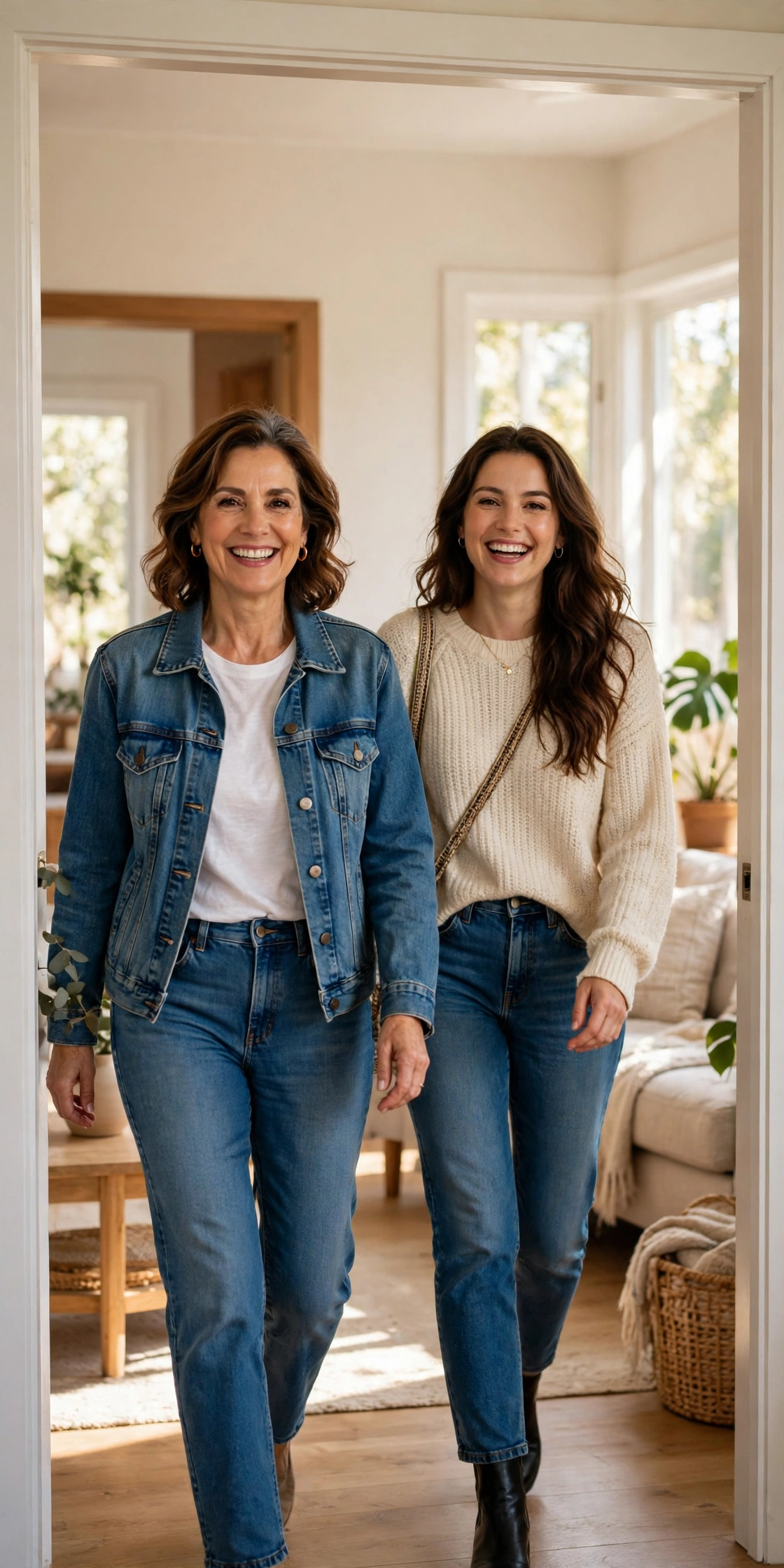
My mum laughed at me for a full minute before she said yes.
I had asked her to walk through our living room doorway twice — once in her normal clothes, once in mine — while I filmed her on my phone. She thought I was joking. Then she saw one of the videos on my feed, a mum walking out in her daughter’s cargo pants and a crop top, grinning like she had just got away with something, and she said, “Okay, but I am not wearing those shoes.”
That is the whole trend, really. Turning My Mum Into Me is not complicated, and that is exactly why it keeps coming back.
It first blew up years ago, and in October 2026 it is doing the rounds again. A roundup of October social trends lists it right at the top, and the format is the same as ever: mum walks in dressed as herself, cut, mum walks in again dressed as you. The joke lands because the change is so visible, and the reaction is usually genuine. My mum’s second walk was ten times more confident than her first, and she had not even practised.
If you have been scrolling Reels or TikTok lately and wondering why so many mums suddenly look like their daughters, this is the format behind it. Here is how I filmed ours, what I got wrong the first time, and how to make your version look clean without turning your living room into a film set.
What the format actually is
Forget the fancy edits for a second. The classic version is two shots, same doorway, same camera position.
Shot one: your mum walks towards the camera in her everyday outfit. Cardigan, leggings, comfortable shoes, whatever she actually wears. On screen, the text usually says something like “turning my mum into me.”
Shot two: after a quick cut, she walks in again in your clothes. Your jeans, your top, your jacket, maybe your shoes if she agrees, hair done a bit differently, a little makeup if she wants it. Same walk, same spot, completely different energy.
That is it. No green screen, no AI filter, no costume shop. The videos that do best are the ones where the mum is clearly having fun, not the ones with the most expensive outfit.
One thing worth saying plainly: this is an old format having another moment, not something invented last week. The original wave was years ago, and newer versions in 2025 and 2026 use different sounds and different styles. That actually helps you. Nobody expects a perfect copy of the original. They expect your mum, your clothes, your house.
Ask first, and mean it
This sounds obvious, but it is the step most people rush, and I nearly did too.
My mum was fine with the doorway walk. She was not fine with me posting a close-up of her without makeup in the “before” shot, and she was right to say so. We agreed on two rules before I pressed record: she picks which “before” outfit goes in, and she gets to watch the finished video before it goes anywhere. If she had said no to either shot, that shot would not exist.
Keep it light and low-pressure. Show her an example first, tell her she can say no to any piece of clothing, and do not film the getting-changed part. The trend works because it is wholesome, and it stops being wholesome the moment someone feels pushed into it.
The same goes for younger siblings or anyone else who ends up in the background. If they wander into frame, either film again or crop them out. A clean doorway shot is worth the extra take.
Pick the outfit like you are styling a friend, not a costume
Here is where I made my first mistake. I picked the loudest outfit I own — bright top, baggy jeans, chunky shoes — because I thought louder would read better on camera. On my mum it looked like a costume, and she walked like she was wearing someone else’s clothes, because she was.
We swapped to something closer to her comfort zone: my straight-leg jeans instead of the baggy ones, a plain fitted top, and her own trainers instead of my platforms. Suddenly she walked normally, and the transformation still read clearly because the style was still obviously mine — just a version she could actually move in.
A few practical picks that tend to work:
- One clear statement piece, not five. A leather jacket, a denim jacket, or a bold top does more than a full head-to-toe overhaul.
- Jeans or trousers that fit her properly. If she is tugging at the waistband, the camera sees it before it sees the outfit.
- Shoes she can walk in. This matters more than the shoes looking trendy. A confident walk sells the reveal; a wobble kills it.
- One accessory she likes. Sunglasses, a bag, a belt. My mum kept my sunglasses on for the whole second walk and refused to give them back for an hour.
If you are doing this with your dad, a brother, or another family member instead of your mum, the same rule applies. Pick the version of your style they can wear comfortably, not the most extreme version in your wardrobe.
Film it with your phone, in the same spot, every time
You do not need a fancy camera. I filmed ours on my phone, propped on a stack of books on a chair, and it was fine. What you do need is consistency between the two shots, or the cut will look messy.
Set your phone up first, then do not move it. Tape a little marker on the floor where your mum should start walking, and another where she should stop. Film in landscape or portrait depending on where you are posting — portrait, 9:16, is the safe choice for Reels, TikTok and Shorts.
Light matters more than gear. Film facing a window in daylight if you can, so the light falls on her face instead of behind her. My first attempt was backlit from the hallway window and my mum walked out of a bright doorway into shadow, which made the “after” shot look darker for no reason. We turned around, filmed towards the living room window instead, and the difference was obvious.
Film each walk two or three times. In the first shot, ask her to walk at a normal pace and look at the camera near the end. In the second shot, ask her to do the same walk, same pace, same stopping point. You are not directing a fashion show. You are trying to get two clips that match, so the cut feels like magic instead of a jump.
A quick note on sound: film with the room quiet, and add your music later in the edit. Trying to play music out loud while you film usually gives you echoey, uneven audio and a mum who is trying to walk in time to a song she cannot quite hear.
Edit it in CapCut in about ten minutes
CapCut is where most versions of this get put together, and you do not need the paid version for this format. Here is the simple version that worked for me.
First, start a new 9:16 project and drop in your best “before” clip, then your best “after” clip, in that order. Trim the start of each clip so the walk starts cleanly, and trim the end so each clip stops just as she reaches her mark. You want the cut to land right as she is about to pass the camera, or right on a beat — more on that in a second.
Second, add the on-screen text. Keep it short: “turning my mum into me” over the first clip is enough. Use a clean, readable font, white text with a shadow or a dark outline, and put it where it does not cover her face. I made the classic mistake of using a fancy script font on my first edit and nobody could read it in the first two seconds. Simple wins.
Third, pick your sound. Older versions used a sped-up version of Skee-Lo’s “I Wish,” and some October 2026 versions use the Freaky Friday audio “Take Me Away” or just original audio. Check what is actually available in your app before you build the whole edit around one song, because sounds disappear and get restricted by region and account type. If your first choice is not there, pick a similar upbeat track and move on. The walk is the star, not the song.
Fourth, line the cut up with the music. This is the one editing detail that makes a real difference. Find a clear beat drop or a lyric change in your track, and put your before-to-after cut exactly there. If you are using a beat-sync approach, the same timing ideas from a beat sync edit apply here — the cut should feel like it belongs to the music, not like it happened at a random point.
Fifth, add a tiny bit of polish and stop. A slight zoom on the “after” clip, or a quick flash transition, is plenty. I added three transitions, a filter, and a sticker on my first version, and it looked like I was trying to hide a bad cut. The second version, with one clean cut and no filter, got a much better reaction from everyone who saw it, including my mum.
Export at the highest quality your phone allows, and watch the whole thing once on your phone before you post it. Edits that look fine on a laptop timeline can look very different on a small screen, especially text size.
Caption it like a person, not a hashtag farm
Your caption does not need to sell anything. Something honest works best here, because the video is already doing the emotional work.
Try a line that tells people what they are about to see and invites a reaction: “My mum said no to the shoes but yes to everything else,” or “She walked in as my mum and walked out as my twin.” Then ask a simple question, like “Should we do my dad next?” Questions like that get comments without feeling forced.
Hashtags help people find the format, but keep them relevant and short: a few around the trend, your platform, and the style is enough. Stuffing twenty generic viral hashtags under a family video looks spammy and does not help the video find the right audience.
And if your mum has a line from the filming day that made everyone laugh, use it. My mum’s line, on watching the finished video, was “I look better in your clothes than you do.” That went in the caption, and it is still the most quoted part.
Mistakes I made that you can skip
I already mentioned a few, but let me put them together because they are the difference between a video you are proud of and one you delete after an hour.
I filmed the “before” and “after” in different light, so the cut looked like two different days. Film both in the same session, same light, same spot.
I picked an outfit my mum could not walk in comfortably, so the reveal looked awkward instead of confident. Comfort first, style second.
I over-edited the first version with transitions and filters that hid the actual transformation. One clean cut beats five effects.
I almost posted before showing my mum the finished video. Do not do that. Show her first, every time, even if she said yes to filming. Consent to film is not the same as consent to post, and she might spot something you missed.
I also spent far too long looking for the “perfect” trending sound. The sound matters, but a good walk with a decent sound beats a mediocre walk with a perfect sound, every time.
Ways to make it yours without copying someone else
Once you have the basic version down, there are easy variations that still feel original.
Do a role swap in the same video: you walk in as yourself, then she walks in as you, then you walk in as her. It takes more filming, but the triple reveal is a nice twist.
Film it in a different location that means something to you both: the front porch, the kitchen, the hallway she always complains about. A familiar location makes the video feel personal instead of copied.
Try it with a sibling or a partner after the mum version, and let people vote on who did it best. Series like that keep people coming back without you having to invent a new format every time.
Or keep it simple and do a second version a few months later with a different season’s clothes. The format is forgiving. What people remember is the reaction, not the exact outfit.
Should you jump on it now?
Honest answer: yes, if you can film it this week, and no pressure if you cannot. Formats like this come back in waves, and October is a good window because the trend is already in people’s feeds again. That said, nobody is going to remember whether you posted on a Tuesday or a Thursday. They will remember whether your mum looked happy in it.
Do not promise yourself, or your audience, that this will go viral. No format guarantees that, and the videos that do well usually do well because the person in them is genuinely enjoying themselves. My mum enjoying herself was the whole video. The outfit was just the excuse.
If you film it, keep the filming session short and fun. Twenty minutes, a few laughs, a cup of tea afterwards. If it stops being fun for your mum, stop filming. There will be another trend next week. There is only one mum, and she deserves better than being turned into content she did not enjoy making.
My mum still has my sunglasses, by the way. She says they are hers now. I am not arguing.
Frequently asked questions
Do I need CapCut to make Turning My Mum Into Me?
No, but it is the easiest option for most people. You can cut two clips together in Instagram’s own editor, TikTok’s editor, or any basic video app. CapCut just makes the beat timing and text easier.
What song should I use?
Use whatever upbeat track is available in your app right now. Older versions used a sped-up “I Wish,” and recent October versions use a mix of sounds, so do not build your video around a song you cannot actually select. Check availability before you edit.
How long should the video be?
Keep it short. Most versions that work are under 20 seconds: a few seconds of the “before” walk, a cut on the beat, and a few seconds of the “after” walk. If people have to wait too long for the reveal, they scroll.
What if my mum does not want to be posted online?
Then do not post it. Film it just for family, or skip it entirely. A trend is never worth posting someone who is not comfortable being online.
Can I do this with my dad or another family member?
Yes. The format is just a before-and-after wardrobe swap and a doorway walk. The same filming and editing steps work whoever is in it, as long as they are happy to take part and see the video before it goes up.
Related reading
- October 2026 Instagram Reels Trends: The Formats Actually Going Viral Right Now
- CapCut Templates for Reels: 2026 Mein Kaunse Chal Rahe Hain
- How to Make Beat Sync Video in CapCut
- GRWM Loading Reel: How to Make the 0 to 100 Percent Format in CapCut
- How to Increase Views on Reels: Retention and Hook Guide
- How to Make AI-Generated Shorts Look Original