The morning I realised my phone was eating my brain
I woke up last Tuesday, reached for my phone before my eyes were properly open, and the next thing I knew, forty minutes had gone. I had not eaten, I had not stretched, I had not done a single useful thing. I had just scrolled. And the worst part was that I felt more tired after scrolling than I had felt when the alarm went off.
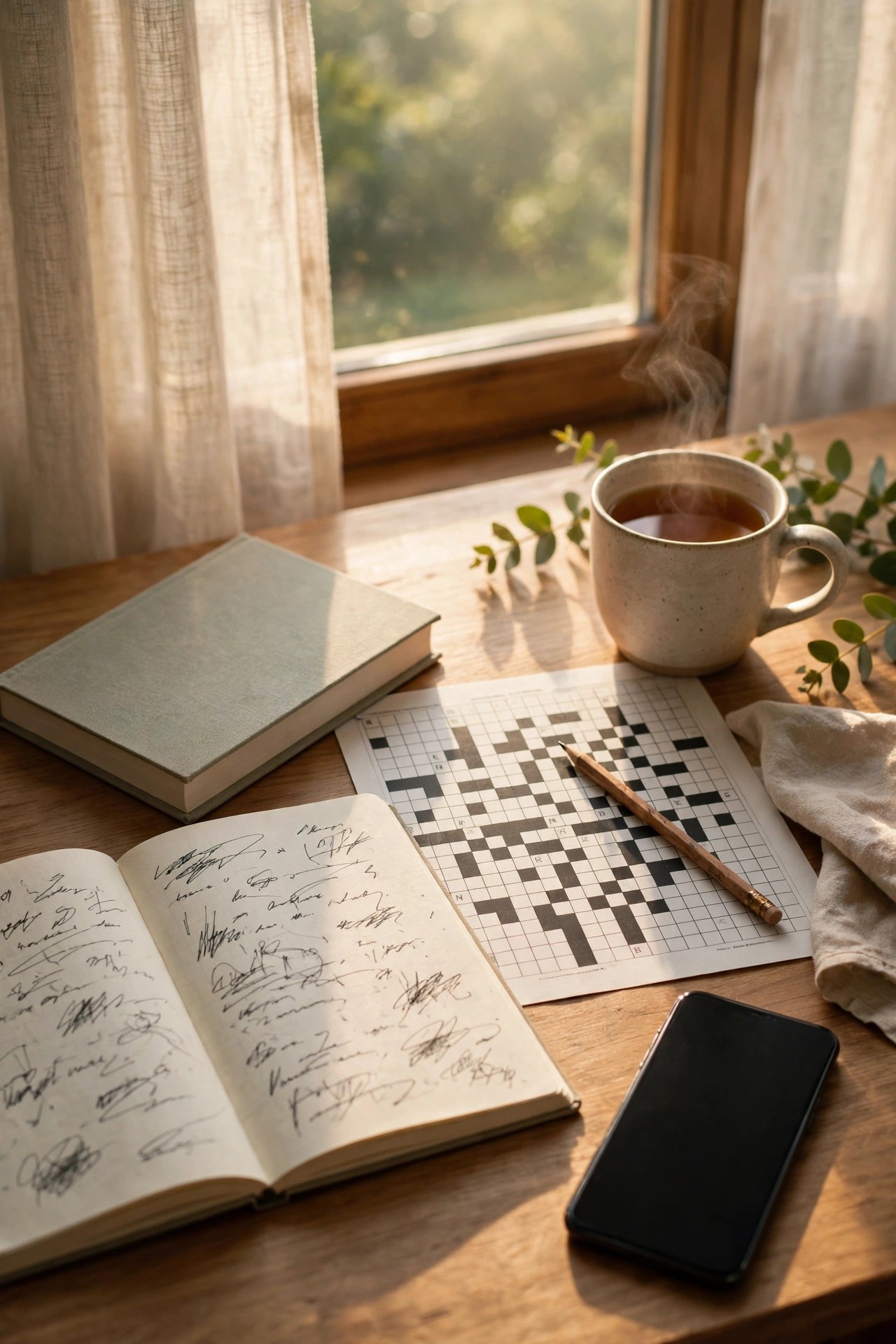
That is exactly why the Morning Brain Stack caught my eye. It is a simple Reel format that is showing up a lot in late October 2026: instead of starting the day with a screen, the creator films themselves doing a short stack of non-digital things. Journaling for a few minutes. Reading a few pages of a real book. Doing a crossword, a puzzle, or a few lines of sketching. No phone in the frame, except the one filming.
I am not going to pretend this changed my life overnight. It did not. But filming it forced me to actually do it, and doing it for a week straight made my mornings feel calmer and a lot less rushed. That is the whole point of the format. It is not a productivity course. It is a small, filmable routine that looks good on camera because it is genuinely different from the usual scroll-in-bed opening.
If you want to try it, here is how I filmed mine, what went wrong the first time, and how to edit it so people actually watch to the end.
What a Morning Brain Stack Reel actually is
A brain stack is just a short run of activities that wake your mind up without a screen. Most versions I have seen use three or four activities, back to back, in one Reel:
- Journaling or writing three lines by hand
- Reading a physical book for a few minutes
- A puzzle, a crossword, or a memory game
- Sometimes a short stretch, a glass of water, or planning the day on paper
The Reel is usually 30 to 60 seconds long. Each activity gets a few seconds, with a short text label on screen like “Journal”, “Read”, “Puzzle”. The hook is almost always the same idea: “No phone for the first 30 minutes” or “I swapped doomscrolling for this”.
That contrast is why it works. Almost everyone watching has done the exact thing the video is trying to replace. They recognise themselves in the first three seconds, and that recognition keeps them watching to see what the alternative looks like.
One important note: this is a format people are copying right now, not a guarantee of views. Trends move fast, and what works depends on your hook, your pacing, and whether the video feels real. Treat this as a format to try, not a promise that it will go viral.
Pick your stack before you pick up the camera
My first mistake was trying to film five activities in one morning. I ended up rushing through all of them, the clips looked stressed, and I did not actually enjoy any of it. Three activities, done properly, film much better than five done in a hurry.
Here is the stack I settled on, and it is a good starting point if you are stuck:
- Journal (3 minutes): Write three lines. What is on your mind, one thing you want to get done, and one thing you are grateful for. That is it. You do not need a fancy journal. A plain notebook works fine.
- Read (5 minutes): A physical book, not an e-book on your phone. That matters for the video, because the whole point is that the phone stays out of it. Pick something light. I used a short story collection because a heavy textbook made me look bored on camera.
- Puzzle (3 minutes): A crossword from a newspaper, a Sudoku page, or a simple word puzzle app printed out the night before. I used a crossword because the pen-on-paper sound and the close-up of the grid look great in a Reel.
If puzzles are not your thing, swap that slot. Sketching, practising a few lines of a new language on paper, or sorting flashcards all work. The rule is simple: it has to be something you can do without a screen, and something the camera can understand in three seconds.
Write your stack on a sticky note the night before. Seriously. Mornings are the worst time to make decisions, and if you have to think about what to do next, you will reach for your phone out of habit.
How to film it: the setup that actually works
You do not need a studio. You need light, a stable phone, and a plan for where the filming phone lives while you do everything else.
1. Put the filming phone somewhere it will not distract you
This is the trickiest part of the whole format, because the format is about not using your phone, but you still need a phone to film with. I used a cheap tripod on my desk and put my phone on airplane mode before I started. Airplane mode is your friend here. No notifications popping up, no temptation to check one message mid-journal.
Film in the morning light if you can. Sit near a window, facing the light, not with the window behind you. My first attempt had the window behind me and I looked like a silhouette writing in a notebook. Moving one chair made the whole video usable.
2. Film each activity as a separate short clip
Do not try to film the whole morning in one long take. You will get bored, the pacing will drag, and editing becomes a nightmare. Instead, film each activity for 20 to 30 seconds, then cut it down to 4 to 7 seconds in editing.
For each activity, get two shots if you have time:
- A wider shot that shows you sitting down and starting the activity
- A close-up of your hands: pen on paper, pages turning, pencil filling in a crossword square
The close-ups are what make this format feel satisfying. People love watching handwriting and page turns. It is the same reason cooking videos film chopping in close-up. Keep your hands in the frame and keep the movement slow and steady.
3. Film the hook first, even though it goes at the start
Your hook is the first shot of the video, but film it last if that is easier. My hook was simple: me picking up my phone in bed, then putting it face down on the bedside table and walking to my desk. That one shot tells the whole story before a single word appears.
Other hooks that fit this format:
- “I stopped checking my phone first thing. This is what I do instead.”
- “No phone for 30 minutes. Here is my brain stack.”
- A shot of the phone alarm going off, then the phone being left behind.
Say the hook out loud or put it as text on screen. Text on screen is safer if you film early in the morning and do not want to talk loudly, and it also works for viewers watching on mute.
4. Keep the phone out of the rest of the video
Once the hook is done, the phone should disappear. If a viewer sees you checking messages halfway through the journal clip, the whole idea falls apart. That sounds obvious, but it happened to me on take two: a notification lit up the filming phone’s screen reflection and a commenter spotted it straight away.
Put your other devices away too. A laptop open on the desk ruins the “no screen” feeling, even if you are not using it.
Editing it in CapCut: fast cuts, clear labels, no clutter
I edited mine in CapCut on my phone, and the whole edit took about twenty minutes once I had the clips. Here is the order I used, and it is the order I would recommend:
Step 1: Import and trim. Import your clips in stack order: hook, journal, read, puzzle, closing shot. Trim each activity clip to 4 to 7 seconds. Cut out any fumbling at the start or end of a clip. If a clip starts with you adjusting the notebook, cut that part.
Step 2: Add short text labels. Add one label per activity, in the same style and same position every time. “Journal”, “Read”, “Puzzle” is enough. Do not write a paragraph on screen. Viewers read the label in a second and then watch your hands. I used a simple white text with a soft shadow, placed at the top of the frame, and kept it on screen for the full clip.
Step 3: Add a timer or progress feel. A small “Day 1” or “30 minutes, no phone” text at the start helps viewers understand the challenge. Some creators add a tiny progress bar at the bottom. I skipped the progress bar because it cluttered the close-ups, but a simple “1 of 3, 2 of 3, 3 of 3” counter works well if you want that structure.
Step 4: Pick calm audio, not a loud trending song. This is where a lot of people get this format wrong. A loud dance track fights against the calm morning mood. I used a soft instrumental track from CapCut’s audio library and kept the volume low enough that the pen and page sounds could still be heard. If you use a trending sound, check it in the app before you post, because audio availability changes and a muted Reel loses half its feeling.
Step 5: Add a closing shot. End with something that closes the loop: you closing the notebook, putting the book down, stretching, or making a cup of tea. Then add a final text line like “Phone still face down” or “Brain on before screen on”. That last line is what people comment on, and comments are what push a Reel to more viewers.
Step 6: Check the pacing before you post. Watch the whole Reel on mute, then with sound. On mute, the text labels should tell the story on their own. With sound, the cuts should land on the beat without feeling rushed. If any clip feels slow, trim one more second off it. Short and tight beats long and complete every time for this format.
Mistakes I made (so you do not have to)
Mistake 1: Filming in the dark. My first morning was cloudy and I filmed with the room light only. The journal pages looked grey and the video felt gloomy instead of calm. Now I film near a window, and if the light is bad, I wait for a brighter morning rather than forcing it.
Mistake 2: Trying to look perfect. I rewrote my journal lines three times because my handwriting looked messy on camera. The messy version actually performed better in my head when I compared them, because it looked real. Nobody expects perfect handwriting at 7 in the morning. Real beats neat here.
Mistake 3: Making the stack too long. A 20-minute stack sounds impressive, but a Reel is not a documentary. If your stack takes longer than an hour in real life, film only the best three activities. Viewers do not need to see every minute. They need to see the idea.
Mistake 4: Posting without checking the audio. I once posted a draft where the music had been replaced by a silent track because of a licensing change in the app. The video looked fine but felt dead. Now I always watch the final export once, with sound, before I hit post.
Mistake 5: Breaking the rule for the thumbnail. Do not film a fake version where you hold a phone in the puzzle clip “just for the thumbnail”. Viewers notice, and it undermines the trust the format is built on. If you want a thumbnail, take a still from the journal close-up instead.
Ways to make it yours (without copying everyone else)
The basic format is the same everywhere, so your version needs one personal twist. Here are a few that work without changing the structure:
- A themed stack: A student stack (revise flashcards, read notes, puzzle), a parent stack (journal while the house is quiet, read two pages, crossword), or a language stack (write five new words, read a paragraph, word puzzle).
- A location twist: Film it in a park, on a balcony, or in a kitchen nook instead of a desk. The change of scenery makes an otherwise familiar format feel fresh.
- A before-and-after feel: Film a 3-second “before” clip of you scrolling in bed, then cut to the stack. That contrast is the whole story in one edit.
- A series angle: “Day 1 of no-phone mornings” turns one Reel into a reason to come back. You do not have to commit to 30 days. Even “Day 1, 2 and 3” as a small series gives viewers a reason to follow.
- A honest ending: If you checked your phone after 20 minutes instead of 30, say so. A caption like “Made it to 22 minutes before I caved, trying again tomorrow” is more relatable than pretending to be perfect, and it often gets more comments than a flawless version.
Whatever twist you pick, keep the core the same: no phone, three simple activities, short clips, clear labels. That is what viewers recognise, and recognition is what makes a format shareable.
What to write in the caption
Keep the caption short and honest. Something like: “Swapped my first 30 minutes of scrolling for journaling, reading and a crossword. My brain felt quieter, not louder. Would you try this, or is your phone the first thing you reach for too?”
Then ask one question, not three. One question gets answers. Three questions get scrolled past. Hashtags can be simple: morning routine, no phone morning, morning reset, journaling, and the format name itself. Do not stuff the caption with twenty hashtags. Five or six relevant ones are plenty.
Frequently asked questions
Do I need to do this for 30 minutes for it to count?
No. The number is a guide, not a rule. Ten focused minutes of journaling and reading still count as a stack, and a 10-minute version is easier to film and easier to stick to. Start small, and only stretch the time if you actually enjoy it.
Can I use a tablet or e-reader instead of a paper book?
You can, but it weakens the visual idea. The format works because viewers can see, instantly, that no screen is involved. A paper book, a notebook and a printed puzzle make that obvious in one glance. If a tablet is all you have, film it with the screen dimmed or from an angle where the book app looks like reading, and be honest in the caption.
What if I only have 15 minutes in the morning?
Pick two activities instead of three. Journal for five minutes and read for ten, and film just those two. A tight two-activity Reel often performs better than a rushed three-activity one, because every clip gets enough time to breathe.
Do I need CapCut, or can I edit in Instagram?
You can edit in Instagram Reels editor, but CapCut gives you more control over text style, trimming and audio levels, and it is easier to save a template for the next morning. If you already edit in Instagram and you are comfortable there, stay with what you know. The format matters more than the app.
Will this format still be relevant next week?
Formats move fast, and this one is fresh in late October 2026, which means it is a good time to try it while viewers still recognise it as new. If you are reading this later, check the sound and the format in the app before you film, because the exact version people are copying may have shifted. The underlying idea, a calm no-phone start, stays useful even when the specific trend name fades.
Final thoughts
I started filming a Morning Brain Stack because I was annoyed at myself for losing forty minutes to scrolling before breakfast. I kept doing it because the filming gave me a reason to sit down, pick up a pen, and actually think before the day started shouting at me.
You do not need a perfect desk, perfect handwriting, or a perfect morning. You need a notebook, a book, a puzzle, and a phone on airplane mode on a tripod. Film it simply, cut it tightly, label it clearly, and end it honestly.
Try it for three mornings. If the third morning feels better than the first, you have got a Reel and a habit. If it does not, you have still got a Reel, and you will know exactly what to change next time.
Related reads
- GRWM Loading Reel: How to Make the 0 to 100 Percent Format in CapCut
- Upside Down Reels: How to Make the Flip Transition Everyone Is Copying in October 2026
- Pray For Me Slow-Mo Run: How to Film the Dramatic Slow-Motion Entrance Everyone Is Copying in October 2026
- Shaking Head AI Meme: How to Make the Slow Head-Shake Meme Everyone Is Posting in October 2026
- Reels Par Views Kaise Badhayein: Retention aur Hook Guide
- CapCut Templates for Reels: 2026 Mein Kaunse Chal Rahe Hain